Your iPhone edits your photos before you do.
Brightened shadows, smoothed skin, sharpened edges, pumped colour. All done before you see the shot. RawOnly gives you the file before the phone touches it. You develop it, in Capture One, Lightroom or whatever you already use.
Same shot. Same lens. Same second.
Left: the built-in Camera app. Right: RawOnly, developed in Capture One. Drag to compare.
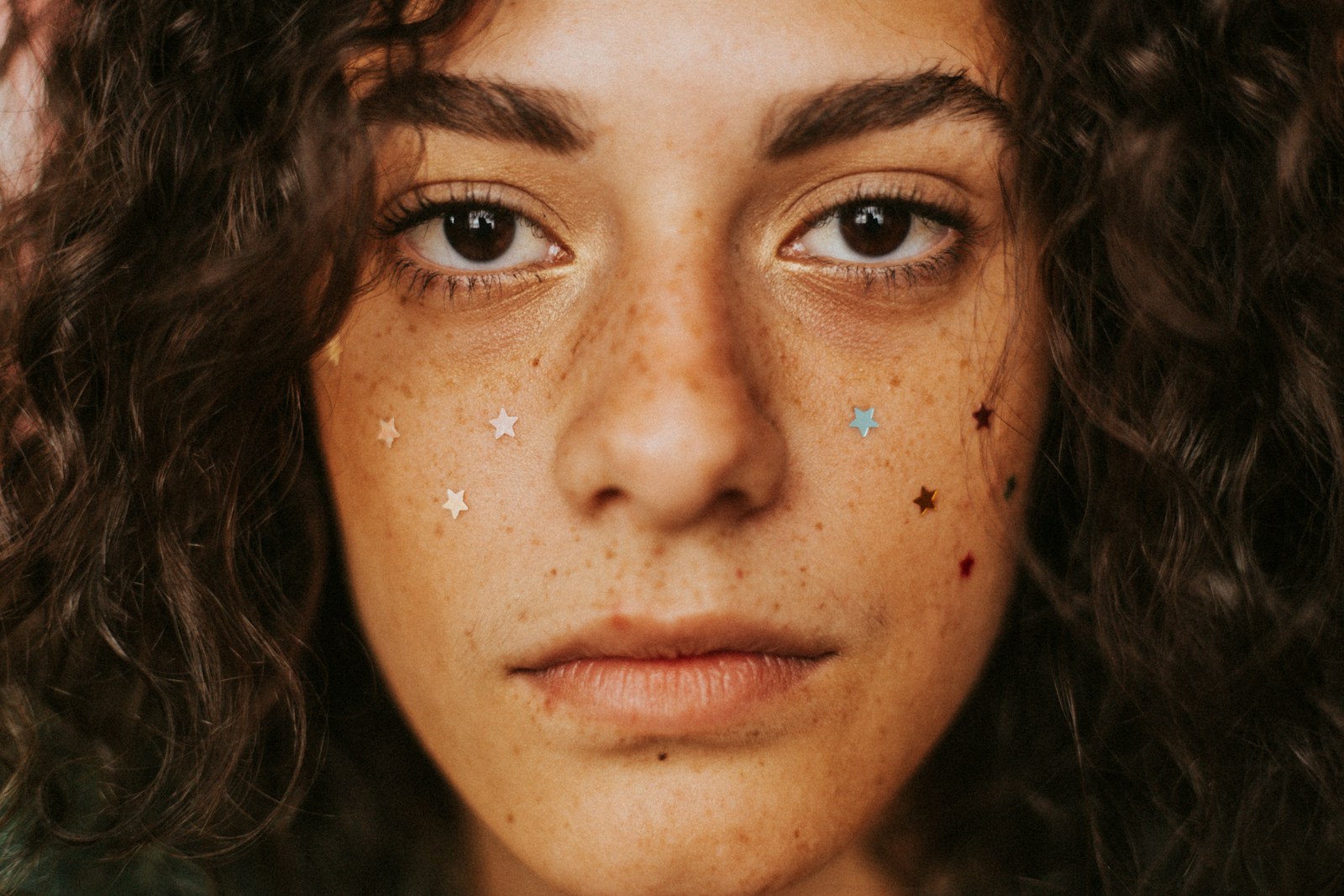 Built-in cameraRawOnly · developed
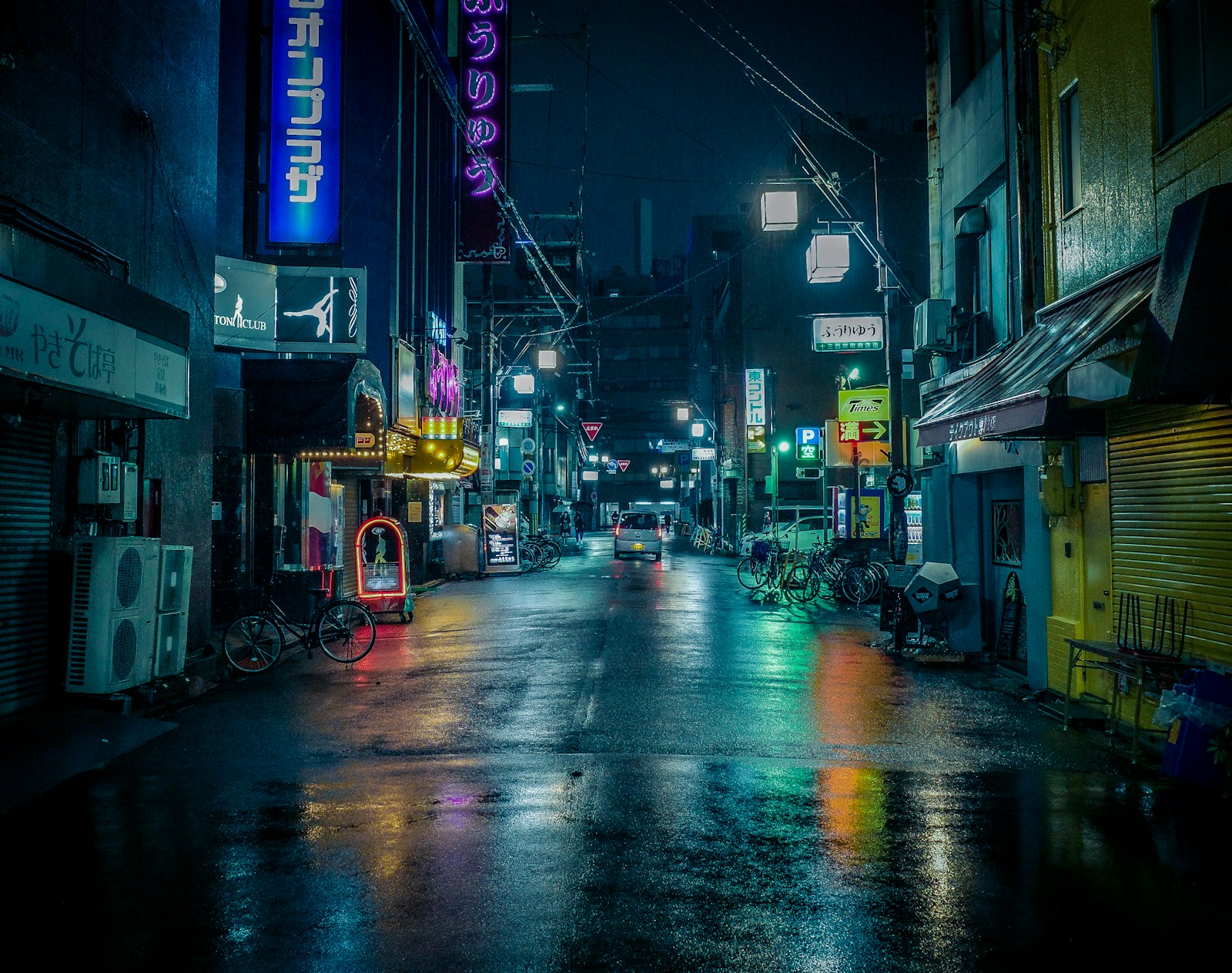 Built-in cameraRawOnly · developed
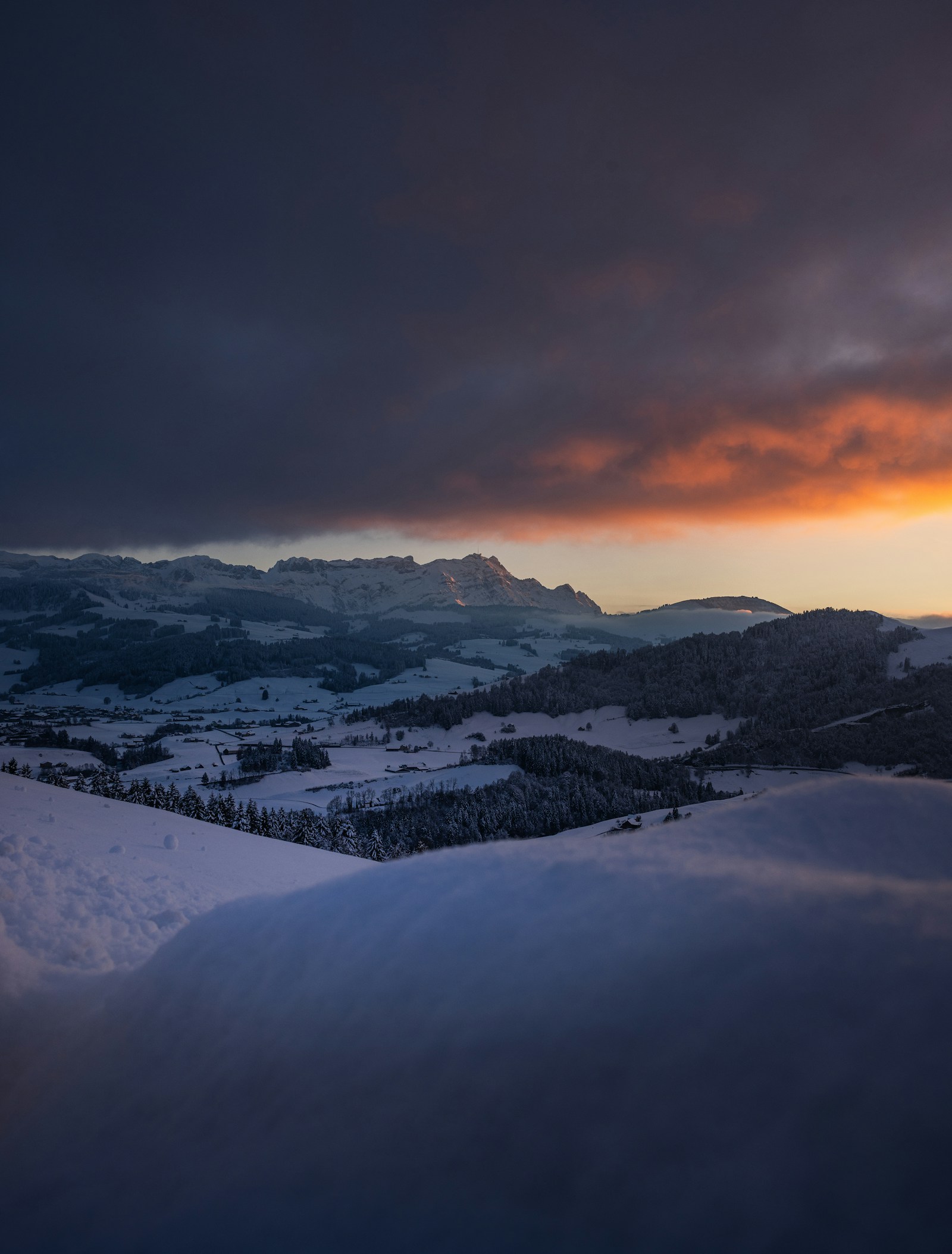 Built-in cameraRawOnly · developed
ProRAW is a finished photo in a DNG coat.
Apple's pipeline runs first: tone mapping, noise reduction, sharpening, Deep Fusion. Then the result is written into a DNG. The file opens in Capture One, but the decisions were made on the phone. RawOnly writes the file before any of that happens.
Import it like any other camera.
Your tools, your profiles
A standard DNG. Opens in Capture One, Lightroom, darktable, RawTherapee, DxO. Your styles and presets apply the same way they do to your camera body.
Cable, AirDrop or Photos
The file lands in your Photos library. Import it the way you import from any camera. No app on the desktop side, no export step.
For photographers who develop their own files.
You, if
You shoot RAW on your camera and want the iPhone to behave the same way. You have a developing workflow and you want the phone to feed it, not replace it.
Not you, if
You want a better photo straight out of the phone. RawOnly files look flat until you develop them. That is the point, but it is not for everyone.
A camera with real controls.
ISO and shutter on dials with real stops. Focus you set and the phone leaves alone. Lens choice that sticks. 12 or 48 megapixels per shot.
screenshot
screenshot
screenshot
Less than a roll of film.
Your first 10 shots. Full app, full quality, no card.
One-time. For a trip or a test.
One-time. Every shot, forever, on this iPhone.
Most photographers pick thisNo subscription. No account. Pay once through the App Store.
Nothing leaves the phone.
Before you ask.
Which iPhones work?
Any iPhone on iOS 17 or later. The app lists only the lenses on your phone that can shoot true RAW. 48 megapixels needs an iPhone 14 Pro or later.
How is this different from ProRAW?
ProRAW is Apple's processed image saved as a DNG. RawOnly saves the file before Apple's processing runs. The difference is visible at 100 %: skin texture, grain, and edges.
Why do the files look flat?
Because nothing has been done to them yet. A RAW from any camera looks flat until you develop it. Your profiles and presets fix that in one click.
Is there a flash?
No. Apple does not allow flash with true RAW capture. There is a torch for continuous light.
Where do the photos go?
Into your Photos library, as DNG files. Import them the way you import from any camera.
Does it work with Lightroom Mobile?
Yes. Lightroom Mobile opens DNG files from Photos. Most people still develop on the desktop.
What happens to my shots if I change phones?
Your photos are in Photos and follow your normal backup. The purchase is tied to your Apple ID and restores through the App Store on the new phone.